At Holobuilder, I designed project management and editing features to help engineers work on 20,000+ sites globally. The product enabled users to track their construction site build-out in 360.
THE PROBLEM
Documenting construction site progress is timely and inefficient

Currently, this process requires engineers to take thousands of 2D photos of every curve and crack of a construction site, taking hours on a daily or weekly basis. These photos are then placed in virtual folders, never to be looked at again.
Holobuilder's product creates 3D construction sites, fast
Holobuilder enables construction professionals to take 360° photos of sites and quickly creates virtual walkthroughs, accessible by all stakeholders. In just a few pictures, the entire construction site is linked together.
Holobuilder was missing key features
When I joined the team, Holobuilder was aiming to become a perfect product-market fit, but wasn't properly accommodating the construction documenting workflow.
THE ROOT CAUSES
All progress on a construction site needs to be documented
Change on construction sites happens often, and Holobuilder's product team was noticing a trend:
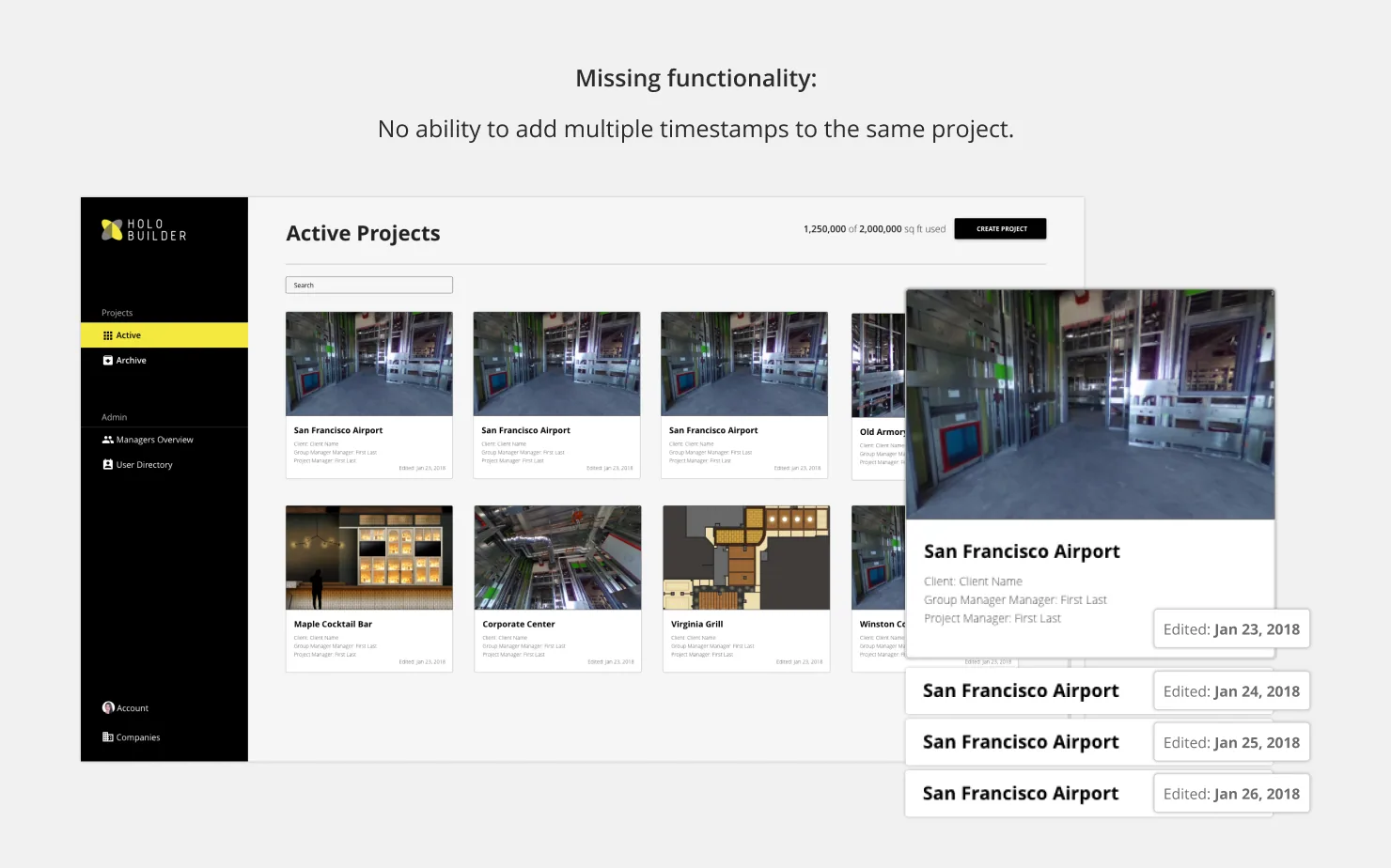
- Multiple holobuilder projects per construction site: Users were creating dozens of Holobuilder projects per construction site, when the expectation was that users would only need one.
- Users were creating a new project per documentation date: Users had no way to include multiple photos for the same location in the same project. To compensate, they were creating a new project for each new date.
USER INTERVIEWS
We had to learn more about documentation needs
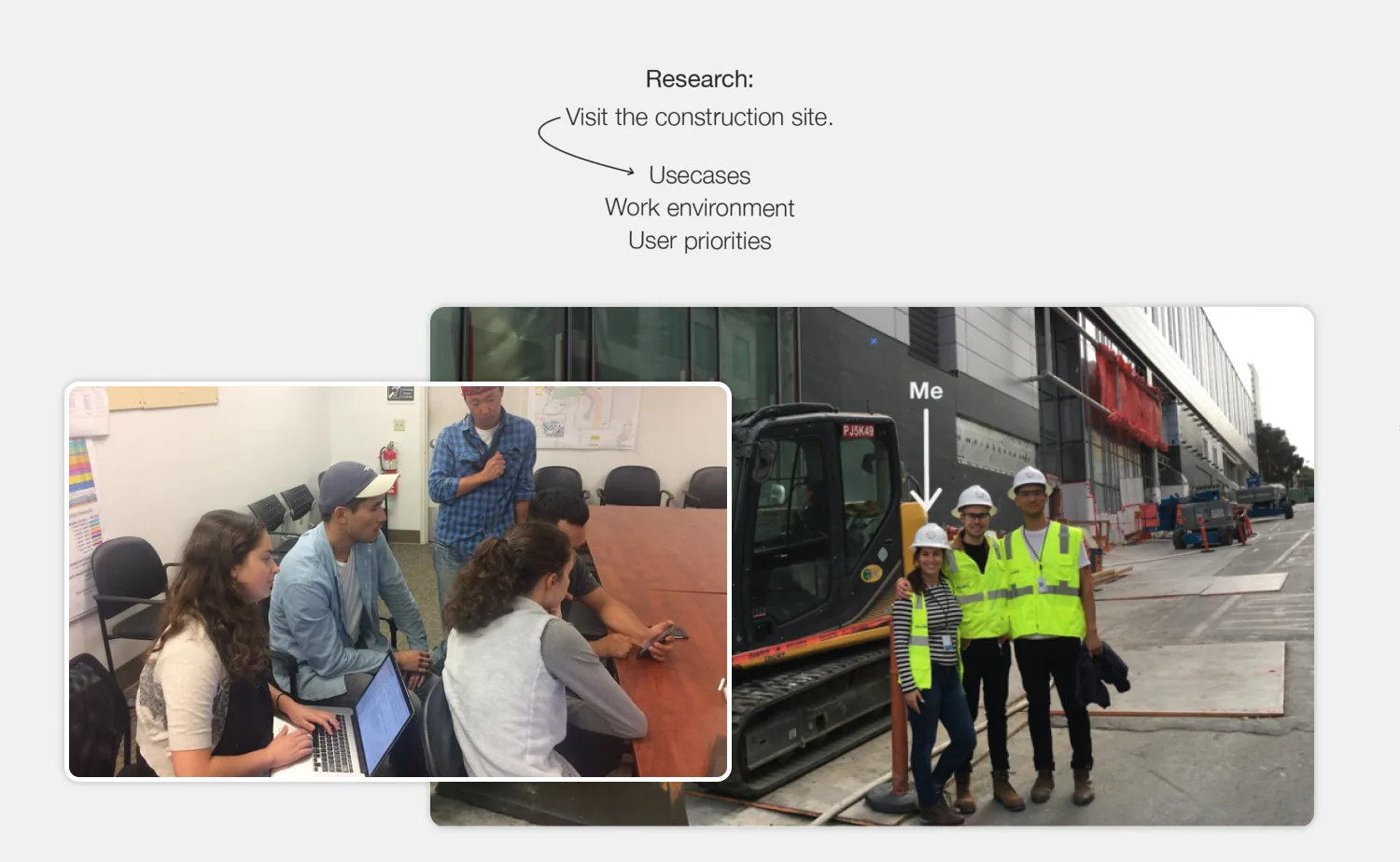
In order to serve our users better, and to understand the pattern we were seeing, the product team and I spoke to users and visited the construction sites to learn more about the construction buildout workflow. We spoke to:
Site Engineers
They were actively managing a construction project and supervising staff. Their role also included taking photos and evaluating changes.
Project Managers
They were managing resources and making sure the project was completed on time. They also needed to showcase progress to higher-ups.
USER PREFERENCES
The product could be improved to better serve our users' use-case
Our user's needs:
Organize photos according to date and time-stamp
Users wanted to create projects with multiple time-stamps for each location. Thus, they wanted to organize photos according to date and location so that they could see progress of a location over time.
Easily compare progress
Progress on construction sites was happening quickly, and to keep track of changes, these photos has to be easy to compare.
Quickly upload photos
Construction sites were huge, and users took many photos. Decreasing the time to take, upload, and organize these photos would be key.
THE CHALLENGE
The goal was to enable versioning construction progress on Holobuilder
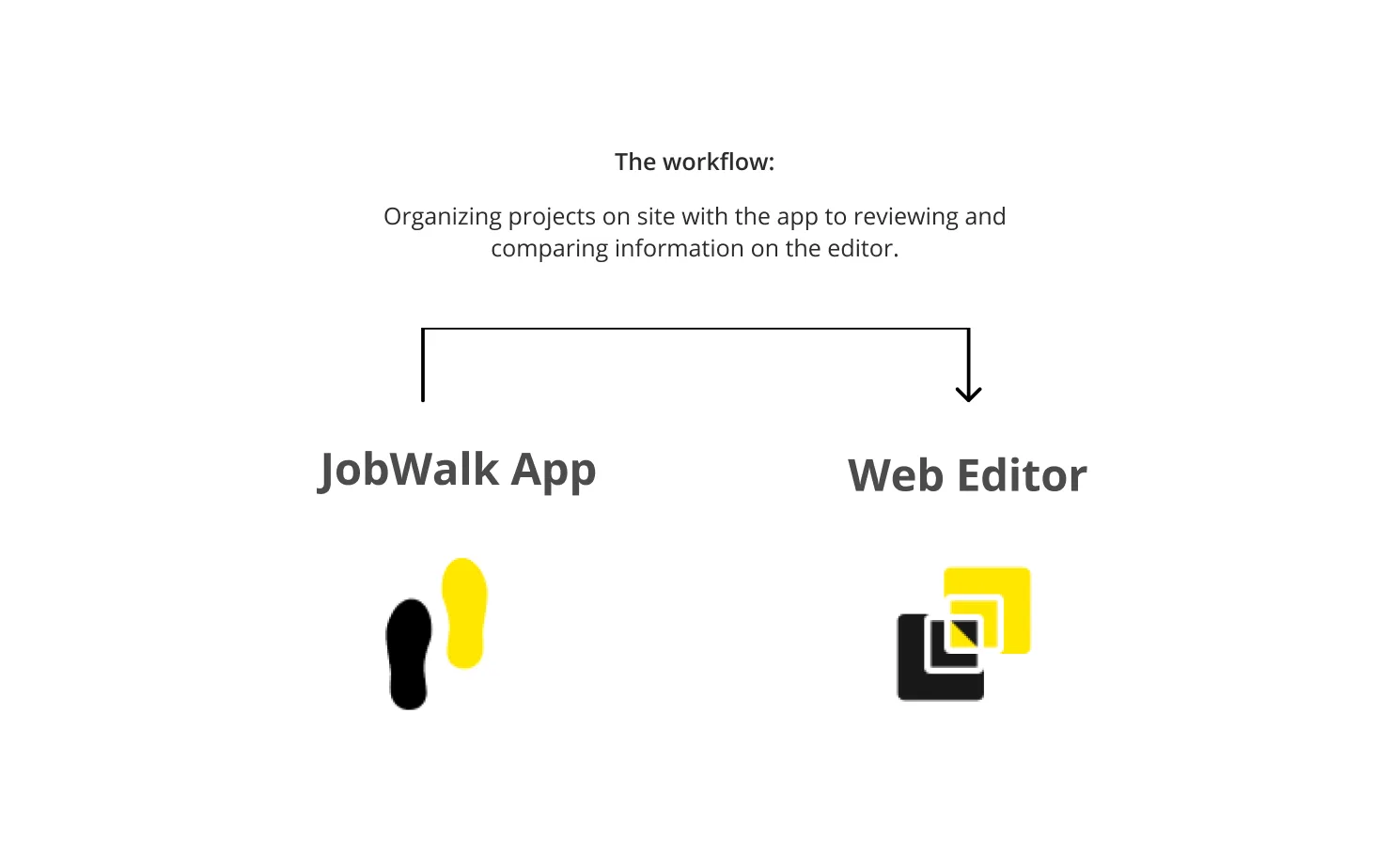
To do this, we had two main workstreams:
1. Progress updates (mobile focused)
Uploading progress through the app, organized the way users need:
- Organized by location
- Organized by date
2. Progress review (desktop focused)
Keeping track of changes using the editor by reviewing:
- Versioning of progress
- Comparing two versions of the same location
The scoping meant focusing on progress review
Since progress updates was something we decided to tackle later, (through our app) I won't focus on this here. I will rather focus on the how I approached the progress review workflow.
RESEARCH
Defining the approach
Before exploring any design concepts, there was information I needed to learn more about.
Competitive Analysis
To understand time-oriented documentation in different contexts, I analyzed the interaction model of other time-oriented systems like Apple Time Machine and Youtube.
Understanding Target Users
Defining who we were designing for helped us understand the needs of the power users who regularly post multiple projects and photos.
Data Analytics
We worked with the Data team to gain insight on project building on the desktop app. We asked questions like: How often do users upload new photos? How many projects do they upload on average?
Design System
While sketching for design solutions, I studied Holobuilder's design system to find existing patterns and UI components to ensure consistency and clarity. Since there were no pre-established patterns, I worked on new ones.
EXPLORATION
Exploring design treatments
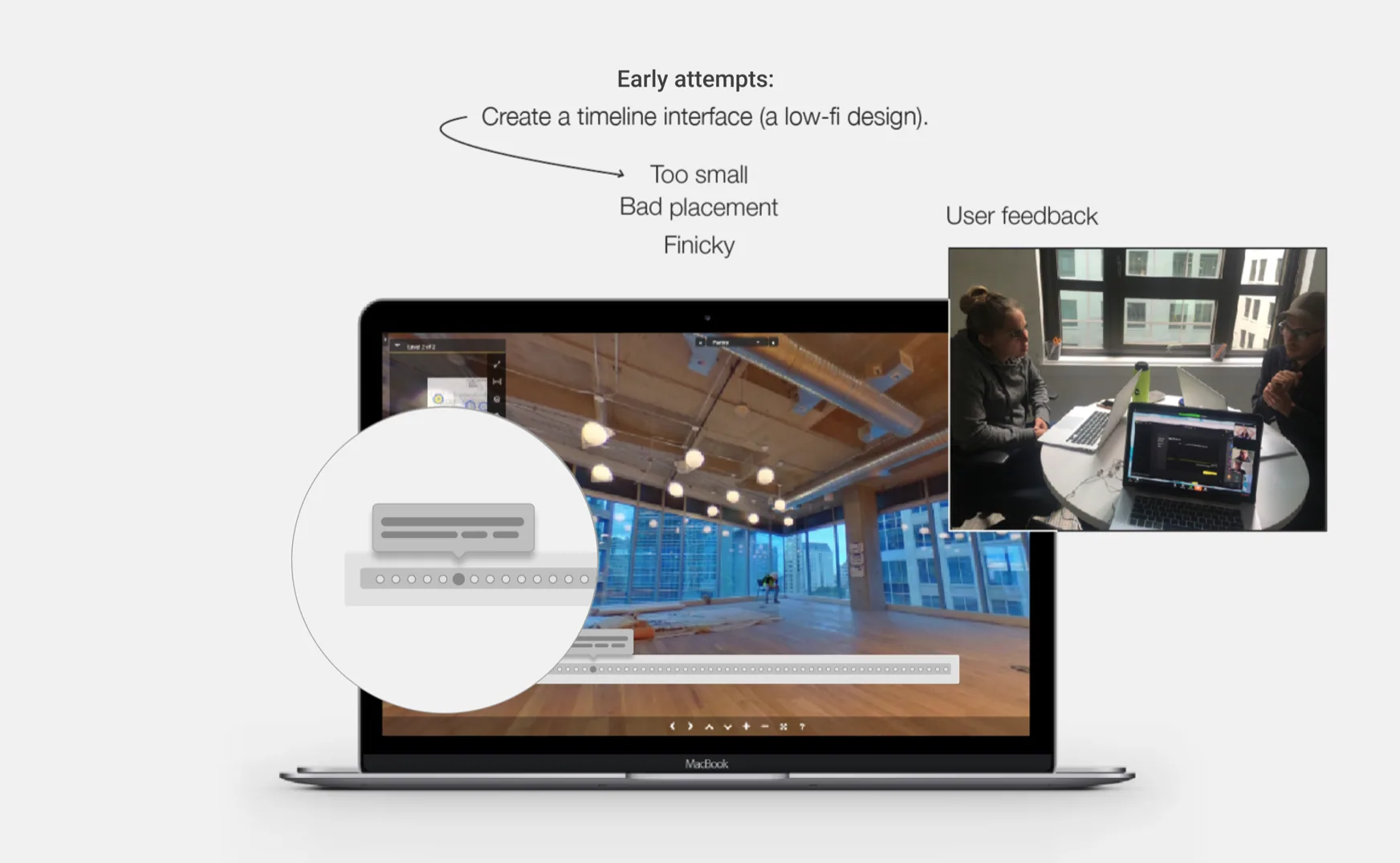
Since there were no pre-established patterns from Holobuilder's design system, I explored a variety of design treatments to find opportunities to make viewing versioning easier.
Iterating & Validating Assumptions
After loops of feedback with users and consultants, we learned that our users needed the following approach:
- More simple (not finicky at all)
- Highlighting current date
- Minimal screen territory
- A way to ensure photos were easy to compare
Design critiques
Weekly design critiques from the Product Design team and the Engineering team also helped us define that Microsoft's native Fluid Design System components would drive greater efficiency and create a more coherent experience for users.
Working with copy
We also worked closely with the Copy team to shape and polish the product experience. The Copy team played a significant role by crafting clear and directive copy that helped users find the information they are looking for.
User testing
We continued to collaborate with teams for feedback. Validating our design solutions through user testing especially helped us become confident in our design decisions.
THE SOLUTION
Versioning for Holobuilder
After defining the concept and validating the experience with all stakeholders, I could move on to creating the specs for all use-cases.
Selecting a timestamp
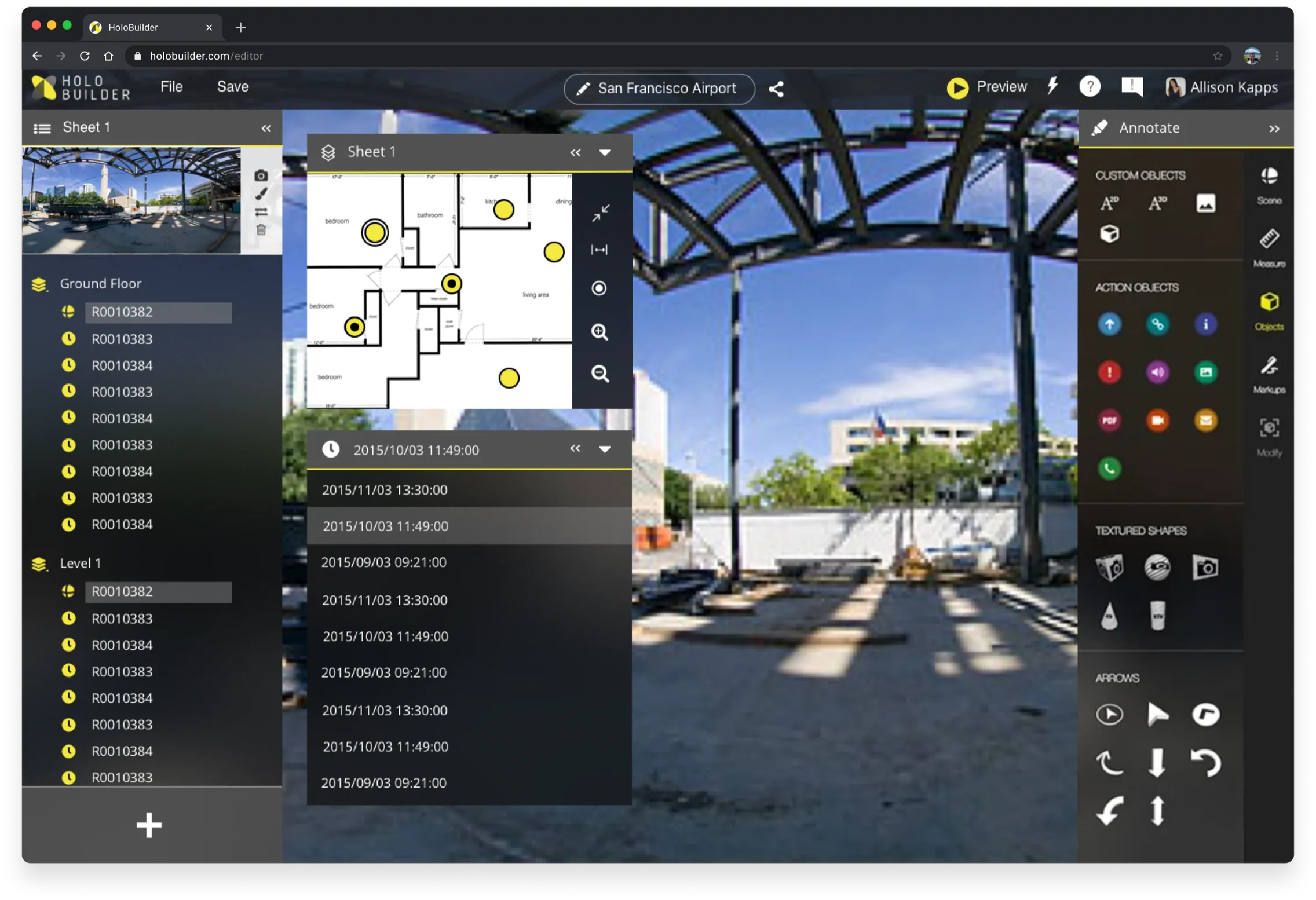
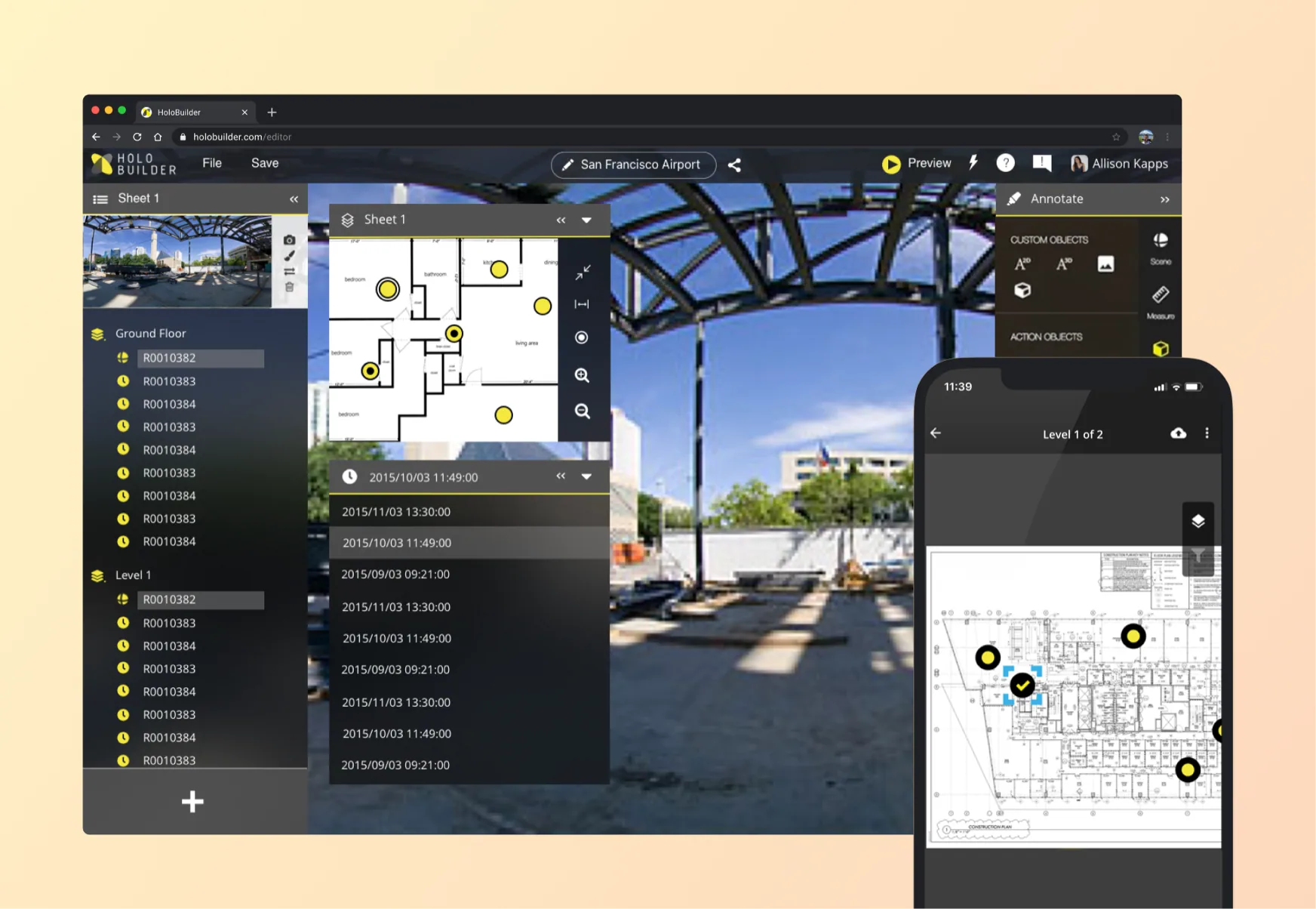
The user now has multiple time stamps listed inside of each location on his/her floorplan.
Choosing a location
Yellow dots are single time-stamps. Black dots inside are locations with multi-time stamps.
Reviewing a timestamp
A dropdown with progress versions of the location is easily accessible.
Highlighting date-related information
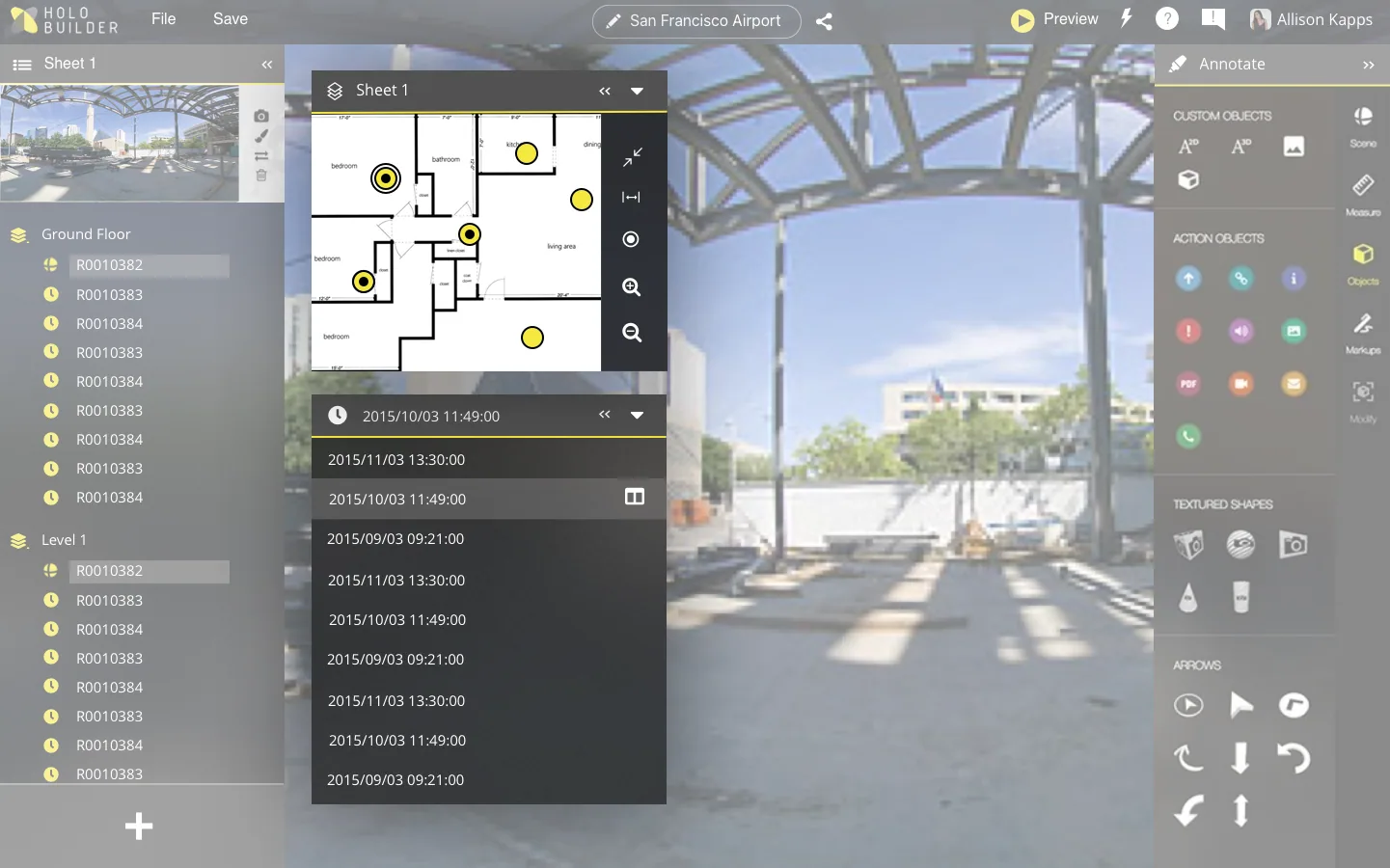
It's important for users to know detailed date information while reviewing to stay updated.
Automatically documenting date and time
Correct date and time formatting is automatically applied to uploaded photos.
Highlighting out-of-date time-stamps
A red banner is visible upon collapse to warn users that they are viewing an out-of-date time-stamp.
Enhancing screen space
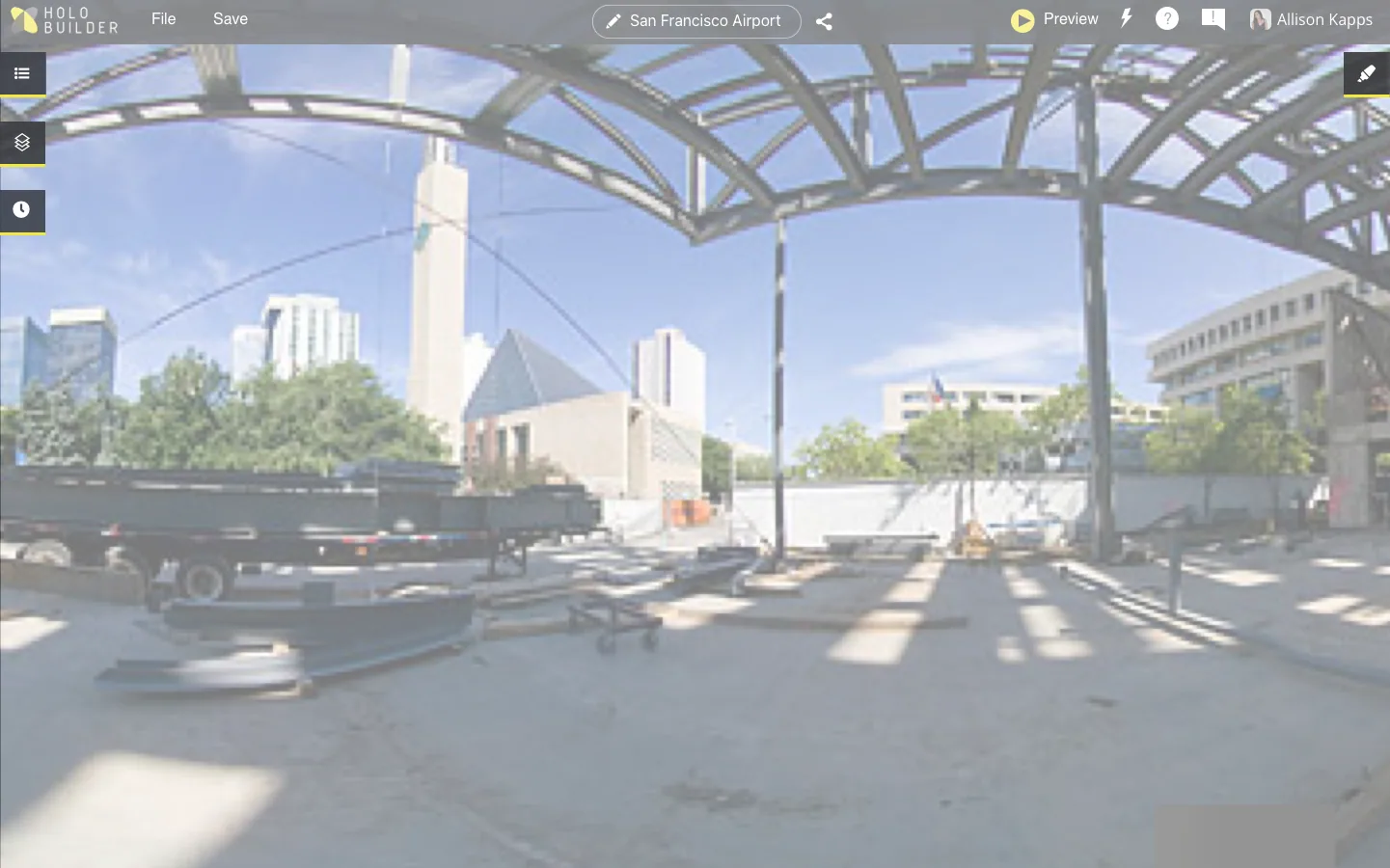
The UI needed to take up a limited amount of room so the photo could be reviewed properly.
Collapsing the UI: Each element of the UI can be collapsed to show a full range view of the image.
Comparing progress
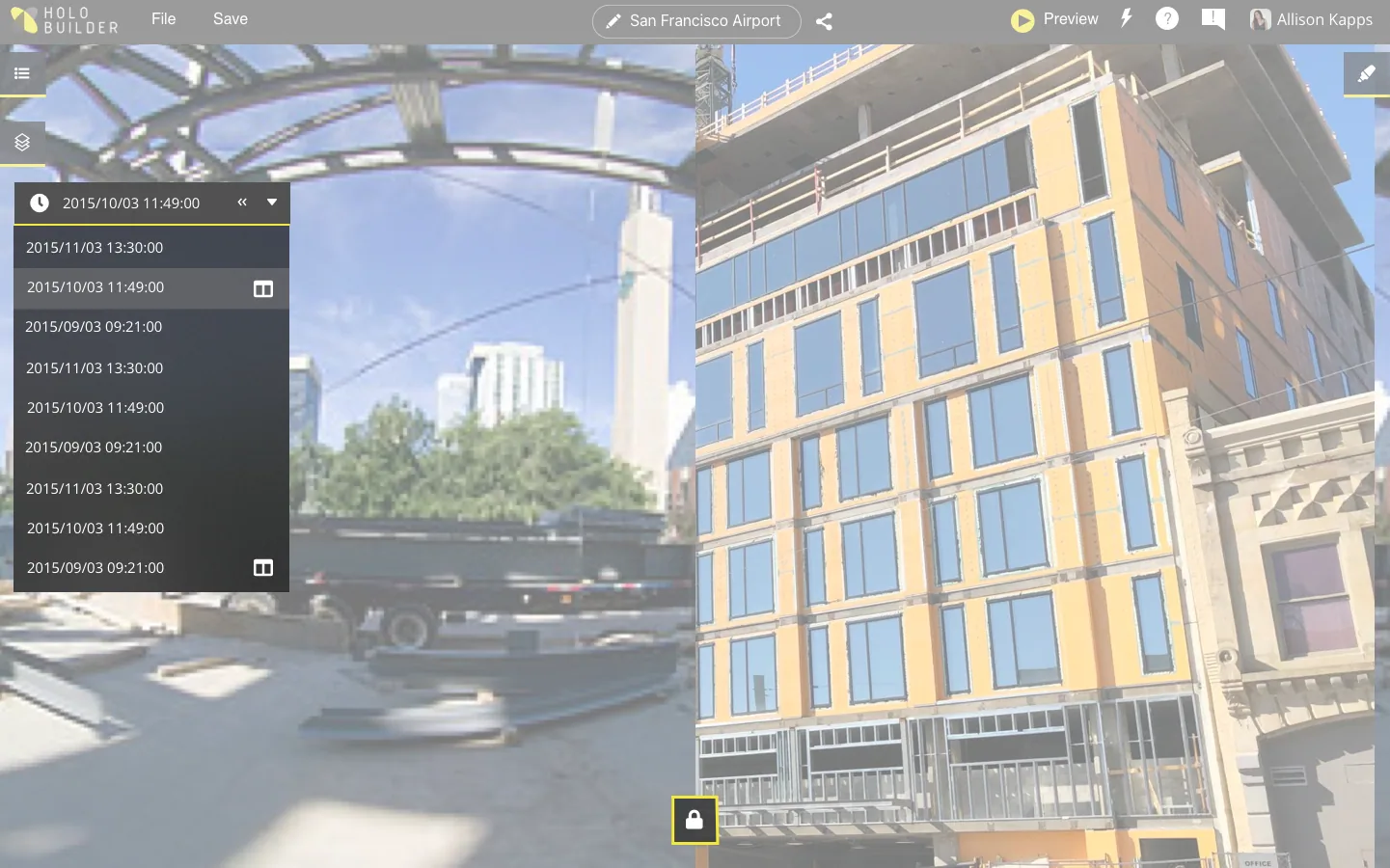
Seeing detailed changes is an important part of reviewing progress.
Selecting two time-stamps & locking
Images can be compared with the dual tile view. This is enabled by selecting a dual-view icon on two images in the time-stamp dropdown.
Locking the view and reviewing the image
Both images can be navigated independently, and selecting the lock icon allows them to be rotated together.
Uploading photos
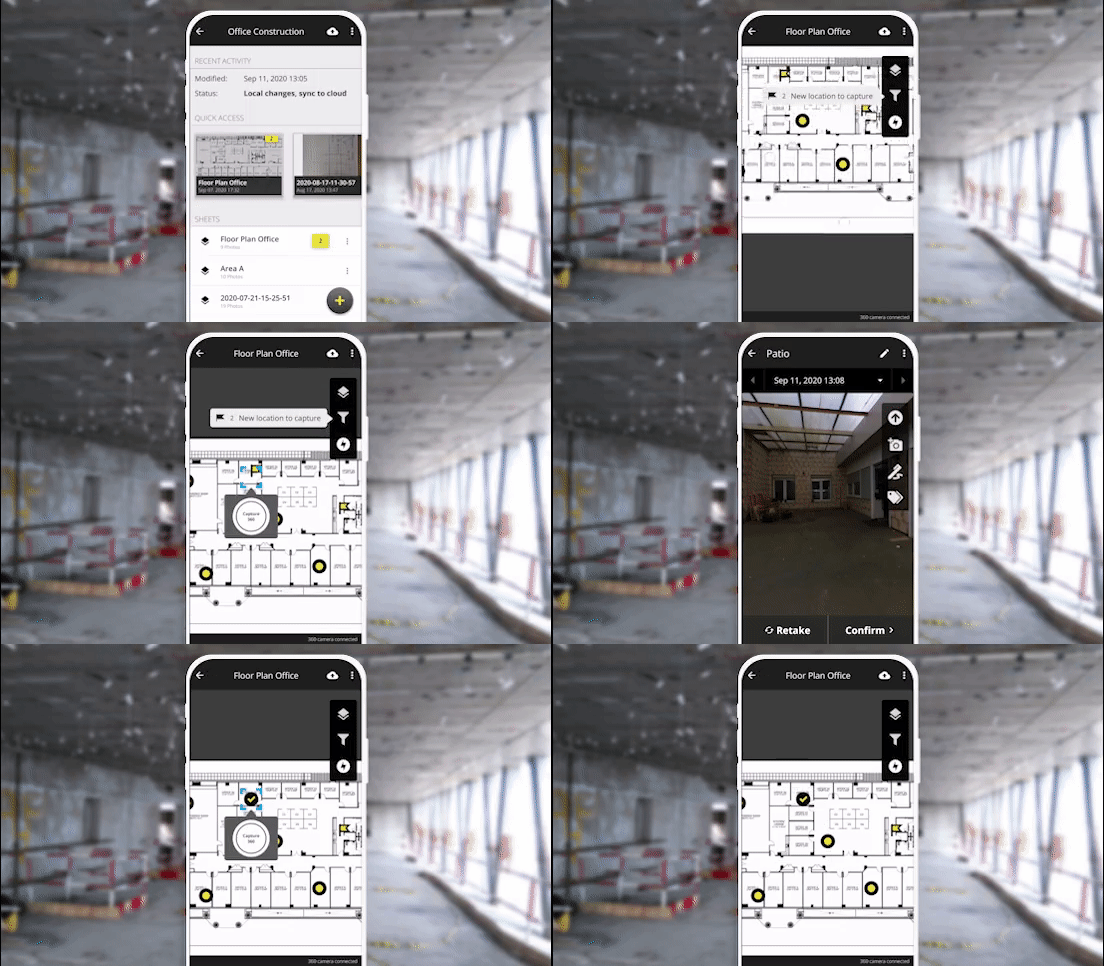
It was possible to upload photos via the editor, but our next project was to quickly create a more streamlined, on the go upload process via the app.
Selecting a location on the floorplan
Selecting a location on the floorplan triggers the 360° camera to take a photo and tie it to that location.
Uploading photos directly
Once all locations are documented, the project can be easily opened and viewed in the editor.
IMPACT
Holobuilder grew a lot
The success of this feature was measured in three significant ways:
1. User interest
Really positive feedback from existing clients and new clients.
- +33% increase of projects being documented on Holobuilder
- 84% of users using the versioning feature
2. Overall improvements in UX
This feature (together with the app) improved the way users create and rely on Holobuilder projects.
- 90% of users felt they could work more efficiently
- 60% felt they could use Holobuilder more for their projects
3. Investments
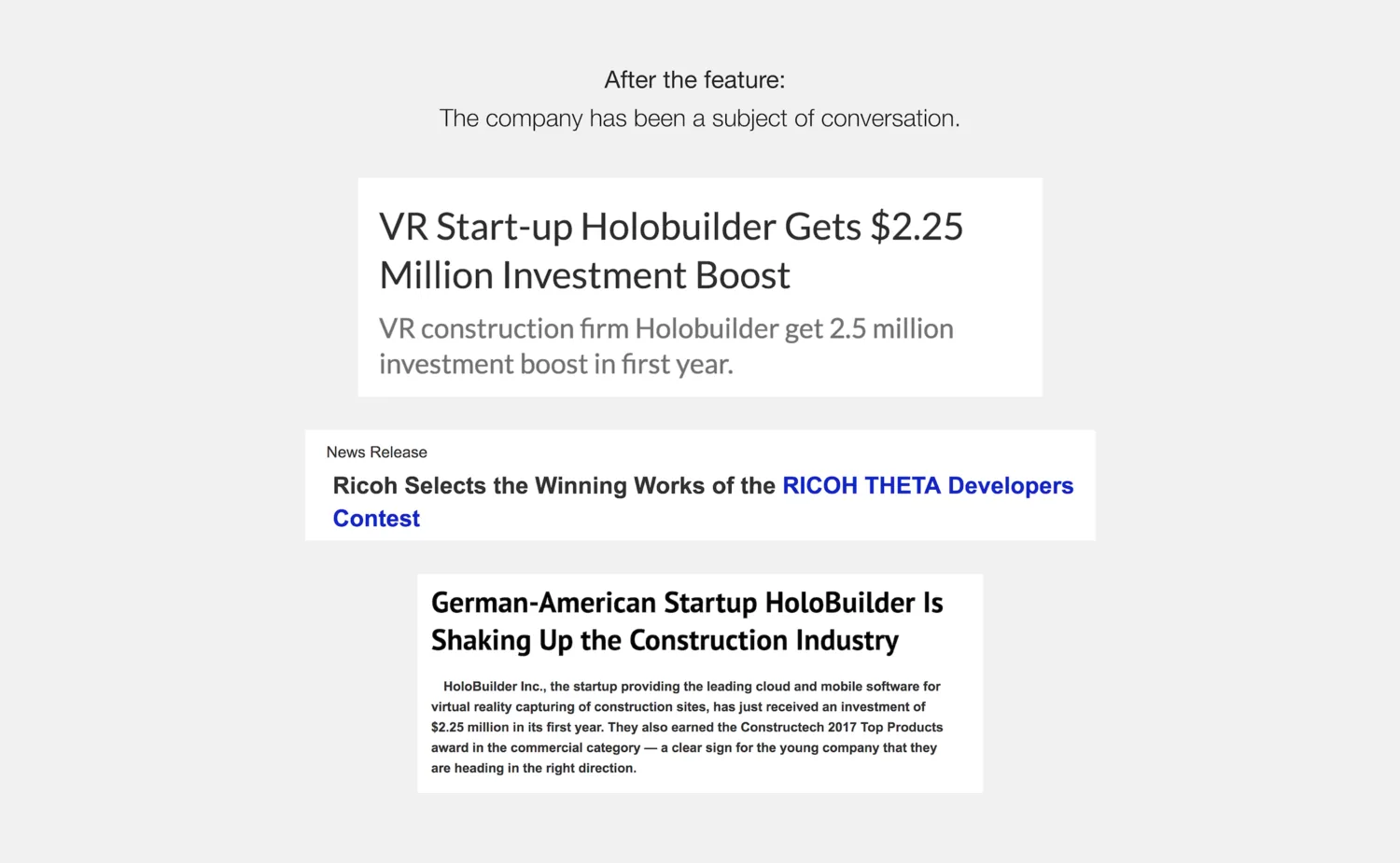
This work resulted in a 2.25-million-dollar investment for the company and is one of HoloBuilder's most essential features.
TEAM
Working together
Engineers: Marx J. Bievor, Jasper Heuser
Product Managers: Mayra Soto, Christian Klaus
Designer: Allison Kapps
Copy & Marketing: Harry Handorf